* This article is part two in a series on setting up Scala for use with IntelliJ
Adding Classes and Tests
Now that we’ve got the project created, a working build system, and test packages installed, it’s time to get started writing some code. First, let’s create a package called org.awesome under src/main/scala. Then we’ll create a package org.awesome.test under src/test/scala.
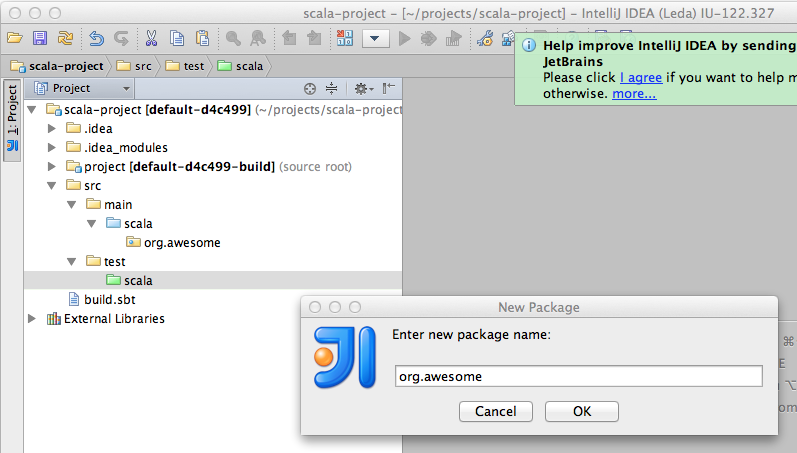
Once we’ve got the packages created, we’ll add a class. Let’s call it “Something” for now.
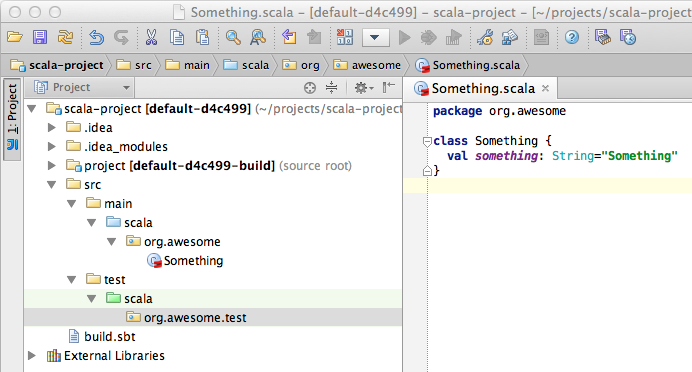
We’ll start with a simple class that contains one member value.
package org.awesome

class Something {

 val something: String="Something"

}
Now we have a class called Something that contains a member value called something that contains a string. “val” tells Scala that this is not a “mutable” string – once it’s set, it can’t be changed. If we need to change it’s value later we can use “var” instead for variable.
Next up we’ll create a test for this class.
Writing and executing tests
Create a new class, this time under the org.awesome.test package in src/test/scala. Call it TestSomething. Once you’ve done that, you can type “test” in sbt and it will run your tests. If everything has worked so far, it should pass like the screenshot below.
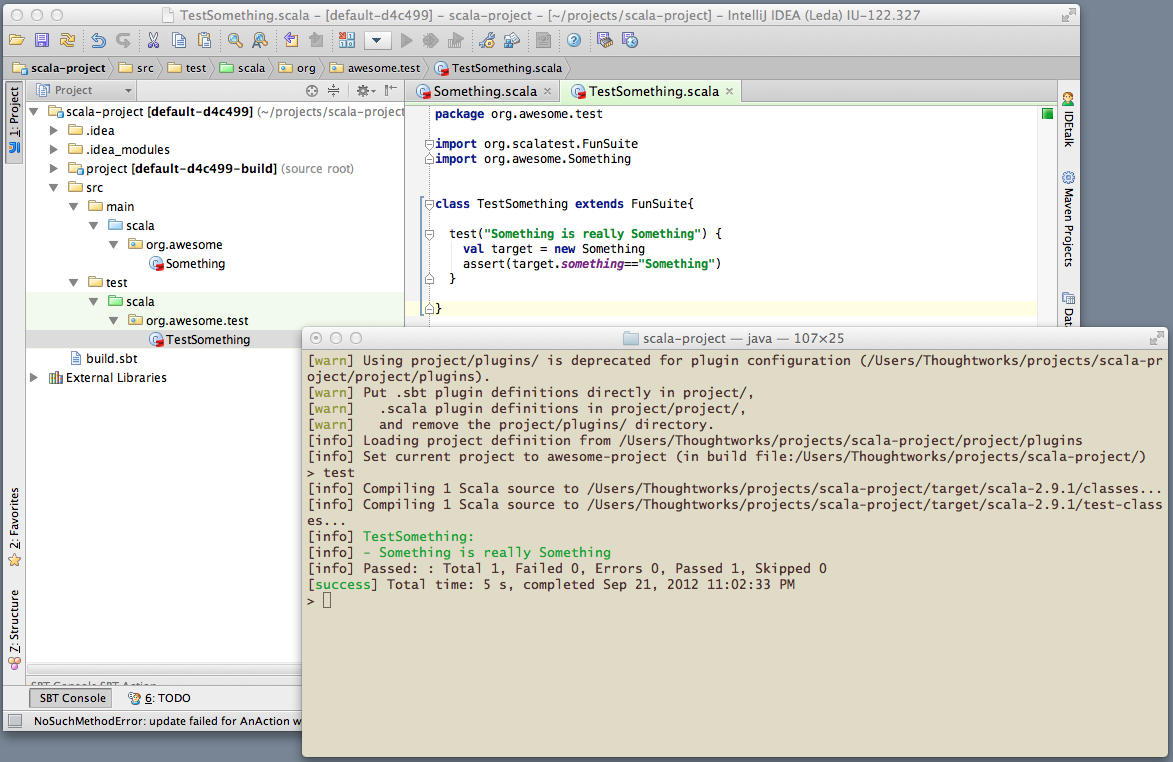
Here’s the code from the screenshot:
package org.awesome.test
import org.scalatest.FunSuite
import org.awesome.Something
class TestSomething extends FunSuite{
test("Something is really Something") {
val target = new Something
assert(target.something=="Something")
}
}
If you let it, IntelliJ will complete things for you. To see what I mean, check out this video. Notice how as I type it’s making suggestions, and you can easily accept them by pushing key combinations like alt-enter.
This wraps up our tutorial- you should have a working environment if you follow these simple steps.
 Kyle Hodgson
Pingback: Getting Started with Scala « Payment Networks